A smart shield
against spam
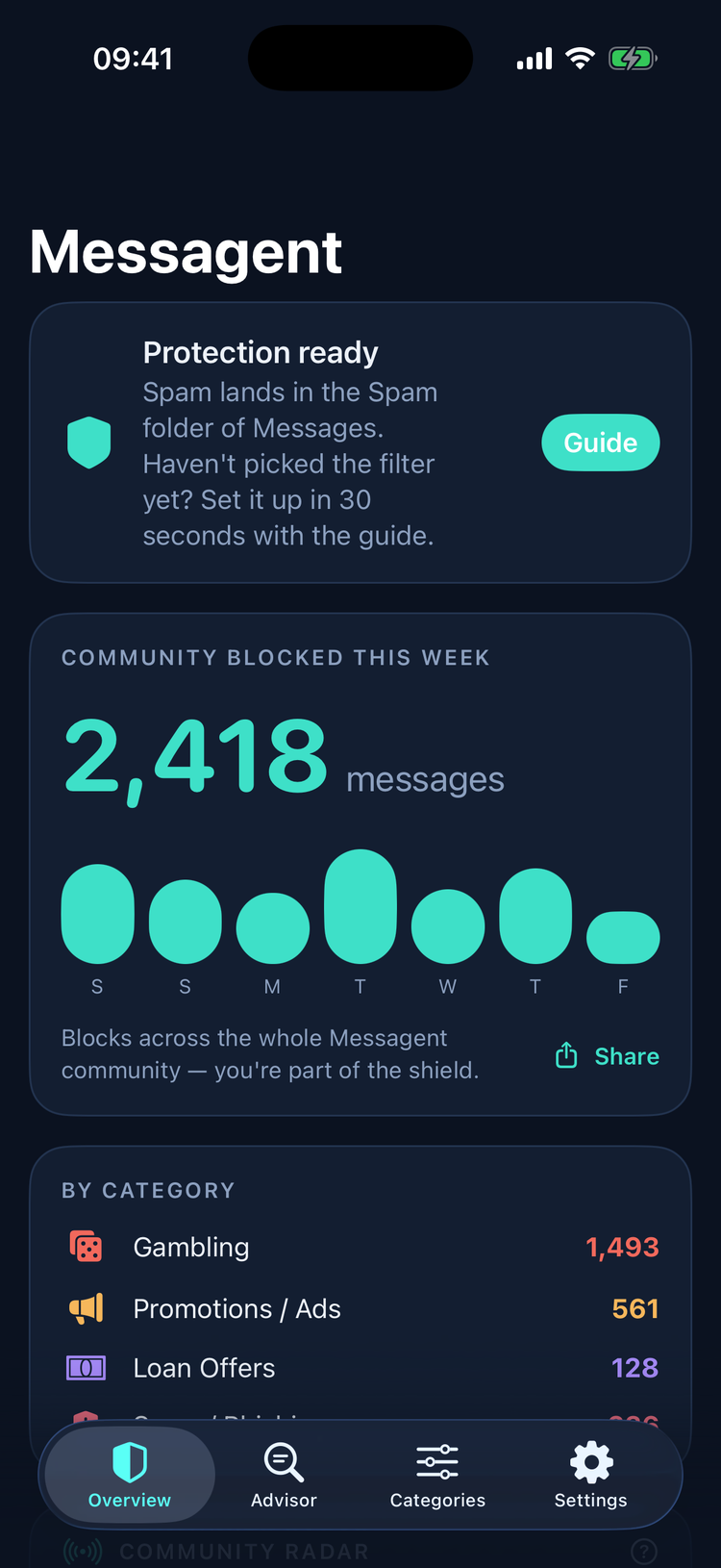
Gambling promos, scams and unwanted marketing texts… Messagent recognizes them by meaning with AI, not keyword lists, and filters them silently before you ever see them.
 Download on the App Store
iOS 17+ · 7-day free trial
Download on the App Store
iOS 17+ · 7-day free trial
Real understanding, not keyword lists
Classic filters block the word "casino"; spammers write "cas1no" and walk right through. Messagent looks at what a message means, not what it says.
Sees through disguises
Character swaps, spacing tricks, Cyrillic look-alikes… every spammer disguise fails against AI that reads meaning.
Write your own rule
"No political party texts": write it in your own words, and Messagent resolves the topic and blocks every message about it. Block topics, not keywords.
Advisor
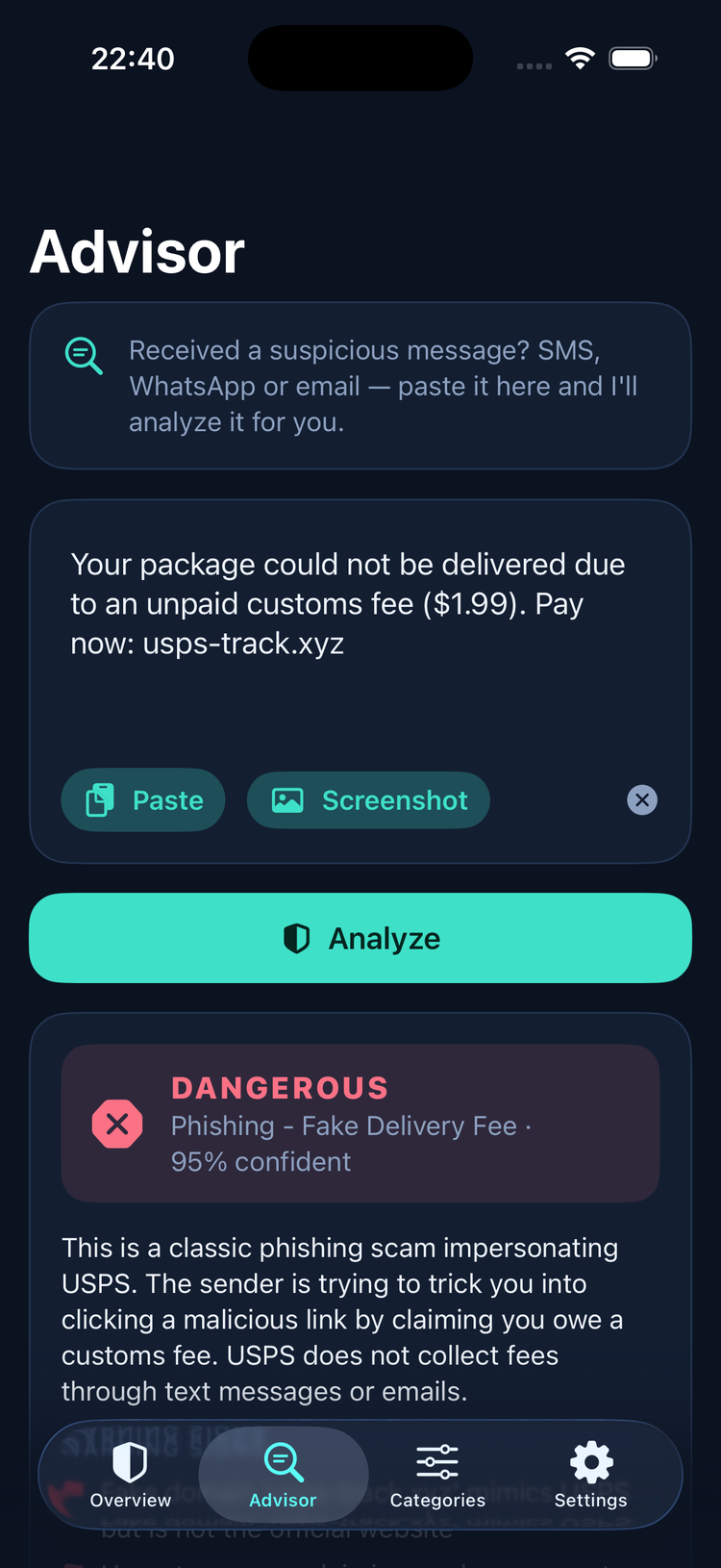
Got a suspicious message? SMS, WhatsApp or email: paste it in and get the risk, the red flags and exactly what to do.
Community Radar
When one user flags a spam sender, it's blocked automatically on everyone's device within hours. The shield grows with the community.
OTPs never leave your phone
Bank verification codes are recognized on-device in milliseconds. Never sent to the internet, never stored anywhere.
Complaint Assistant
Don't just hide spam, fight back: it generates a regulator-ready complaint text in one tap.
Block topics, not keywords
Other apps ask for keyword lists; you type "election", they miss "3lection". In Messagent you describe what bothers you, and AI resolves it into topics, so every message about that topic is blocked no matter how it's written.
Natural language: "donation requests", "insurance and real-estate offers", say it your way
Instant rule: resolved the moment you type it; toggle on/off anytime
Personal: your rule runs only on your device
"Is this message safe?"
Fake delivery fees, bank impersonation, "Mom, I broke my phone"… Scammers target the people we love most. Advisor analyzes any suspicious message in seconds:
Clear verdict: Dangerous / Suspicious / Safe, with a confidence score
Red flags: points at the fake link and the pressure tactics, one by one
Action plan: tells you what to do: "Don't tap the link; if you entered your card, call your bank"
Link inspection: where does "bit.ly/xyz" really go? It safely unshortens links and shows the real destination, before you tap
For everyone: set it up for your parents; it speaks plain, non-technical language
Protected in 3 steps
Download & open
Pick what to block, or write your own rule.
Select the filter
Settings → Messages → Unknown & Junk → Messagent. Takes 30 seconds; the app walks you through it.
Forget about it
Spam goes silently to the filtered folder; no notifications. Your contacts are never affected. Watch your weekly report roll in.
Your messages belong to you
Filtering happens on your device first. Only messages we can't decide locally are checked against our secure server for an instant classification, and nothing is ever stored: no content, no identity.
Your bank codes (OTP) never leave your phone. Period.
Try first, decide later
Every feature unlocked; billing handled by the App Store.
Download on the App Store
Cancel anytime from your App Store account. Prices shown in USD. The App Store bills in your local currency and always shows the exact price before you subscribe.
Common questions
Will my contacts' messages get filtered too?
Never. By Apple's design, the filter only applies to senders who are not in your contacts and with whom you haven't corresponded. Messages from family and friends are untouched; we technically can't even see them.
How is a "topic rule" different from a keyword filter?
A keyword filter looks for the word "election"; write "3lection" and it slips through. With a topic rule you describe what bothers you in your own words, and AI understands the message's topic, so it's blocked even when the keyword never appears.
Are blocked messages deleted?
No. Unwanted messages are moved to the filtered section of the Messages app; you get no notification, but you can always find them there.
Does it filter WhatsApp and iMessage?
Apple only grants filter apps access to SMS/MMS; iMessage and WhatsApp cannot be filtered. But you can paste suspicious messages from any channel into the Advisor for analysis.
Are my messages read or stored?
Most messages are handled entirely on your device. Undecided messages are processed only for an instant classification and never stored. Your bank codes (OTP) are never sent to the cloud. Details: Privacy Policy.
What if an important message gets blocked by mistake?
The system is designed to allow when in doubt; it must be confident to block. And every filtered message remains accessible in the filtered folder; nothing is ever lost.
Why a subscription?
AI classification and the Community Radar require always-on server infrastructure. The subscription keeps the app ad-free and your data unsold; our business model only upsets spammers 🙂